วันศุกร์ที่ 11 กันยายน พ.ศ. 2569

Autodesk Revit 2025.2 Multilingual

 ●  Autodesk Revit 2025.2.0  24.2.0.63 Multilingual by m0nkrus ●  ⚡


ทดลองติดตั้งแล้วตามรูปตัวอย่าง มี crack ให้พร้อม ติดตั้งง่ายดายมาก ไม่หลายขั้นตอนเหมือนเดิม เพราะทุกอย่างรวมไว้ในไฟล์ crack แล้ว
เหมาะสำหรับทุกท่านที่สนใจ นำไปทดลองใช้งานกันได้เลยนะครับ


Description:

Autodesk Revit is a software package for computer-aided design that implements the principle of building information modeling (Building Information Modeling, BIM). Autodesk Revit is designed for architects, designers and design engineers, provides 3D modeling of building elements and flat drawing of design elements, creation of custom objects, organization of collaboration on a project, from concept to the production of working drawings and specifications.

Minimum System Requirements


More Detail::
https://www.autodesk.com/support/technical/article/caas/sfdcarticles/sfdcarticles/System-requirements-for-Revit-2025-products.html

การติดตั้ง wrote:


  1. คลิ๊กขวา mount ไฟล์ Autodesk.Revit.2025.2.Multilingual.ISO แล้วรันไฟล์ Setup.exe


  2. หน้าต่างติดตั้งจะแสดงขึ้นมา กด Next  เลือก Additional Components ที่ต้องการ กด Install  รอจนติดตั้งเสร็จ จึงกด Finish เพื่อปิดหน้าต่างนี้ไป
     (อย่าพึ่งเปิดโปรแกรมขึ้นมา)


  ในระหว่างที่ติดตั้งหากขึ้น error 103   ให้เข้าไปที่ Services ใน Task Manager เพื่อ running Autodesk Access Service Host ให้กลับมาทำงานอีกครั้ง  


  3. กลับไปที่โฟลเดอร์ Crack ในไดรฟ์ที่ได้ mount ไว้ เพื่อรันไฟล์ AdskNLM.exe


  4. ให้รอจนกว่าจะมีหน้าต่าง  Cracking complete. Enjoy!  ขึ้นมา ก็กด OK เพื่อปิดไป


  5. เปิดโปรแกรมจาก shortcut ที่หน้าจอ หรือจาก Start Menu ก็ได้เช่นกัน


  6. เมื่อเปิดโปรแกรมขึ้นมาในครั้งแรก ให้เลือกไปที่  Use a network license  ก็สามารถใช้งานได้ตามปกติ


   [/color]


What has been changed by the author of the assembly:
- The assembly is based on the official Autodesk Revit 2025 distribution.
- The installation package has been [img]pic/up_date.gif[/img]d to include the ability to install the US English Content for Revit 2025 module. - The installation package
has been [img]pic/up_date.gif[/img]d to include the ability to install the Russian Content for Revit 2025 module.
- The installation package has been [img]pic/up_date.gif[/img]d to include the ability to refuse installation of the Steel Connections Core Content for Revit 2025
module. - The installation package has been [img]pic/up_date.gif[/img]d to include the ability to refuse installation of the FormIt Converter For Revit 2025
module. - The installation package has been [img]pic/up_date.gif[/img]d to include the ability to refuse installation of the Autodesk CER Service module.
- The Autodesk Access module has been excluded from the installation process. It can still be installed manually.
- The Autodesk Access Service Host service will be disabled in the program installed from the assembly.
- The Autodesk Identity Manager module has been removed from the installation package.
- The Autodesk Genuine Service module has been removed from the installation package.
- Revit 2025.2 Update has been integrated into the installation package.
- Autodesk On-Demand Install Service module [img]pic/up_date.gif[/img]d from version 2.4.0.126 to version 2.5.0.219.
- Installer [img]pic/up_date.gif[/img]d from version 2.4.0.8 to version 2.7.0.1.
- Everything needed to cure the program is located inside the image in the Crack folder.


Image size and CRC:
Image size: 14.9 GB (16,104,114,176 bytes)
Image MD5 sum: 5fd9a0a494c20d1713a4e7a204064ef0
Image SHA1 sum: a5d303f12644282bba16e3bf4e287e4d577b258b

วันพฤหัสบดีที่ 10 กันยายน พ.ศ. 2569

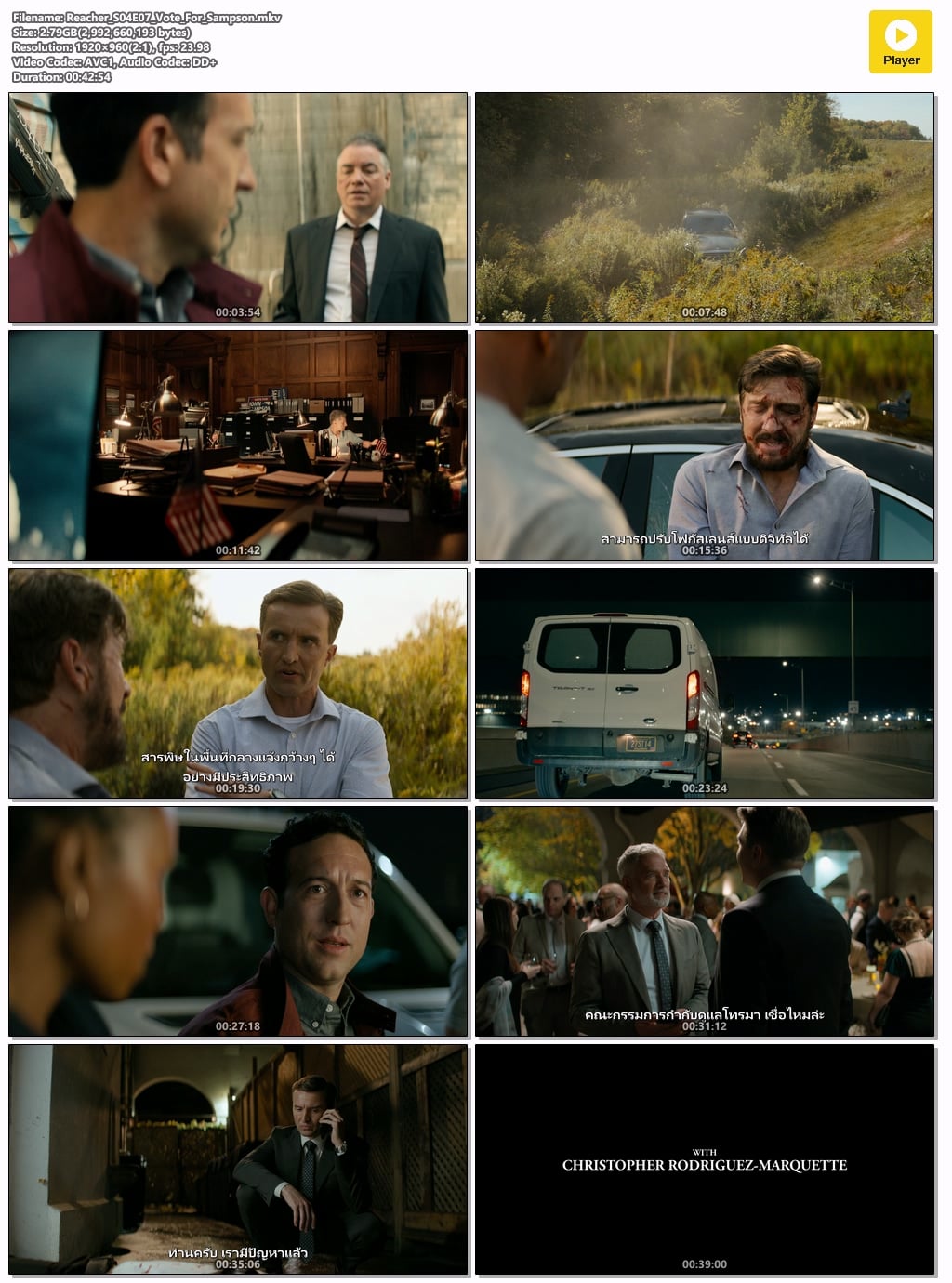
[ประเทศ:USA] Reacher Season 4 Ep 07 - Vote For Sampson


Reacher Season 4 Ep 07 - Vote For Sampson

ในที่สุดรีเชอร์และทามาร่าก็ได้คำตอบที่พวกเขารอคอยมานาน
ในขณะที่เจคอบค้นพบว่าปัญหาของพวกเขายังเพิ่งเริ่มต้น
เมื่อแหล่งข่าวของพลัมให้ข้อมูลสำคัญ


Format                         : Matroska
Format version                 : Version 4
File size                      : 2.79 GiB
Duration                       : 42 min 54 s
Overall bit rate               : 9 300 kb/s
Frame rate                     : 23.976 FPS
Encoded date                   : 2026-09-09 09:18:22 UTC
Writing application            : mkvmerge 101.0 ('Time To Turn') 64-bit
Writing library                : libebml v1.4.7 + libmatroska v1.7.2

Video
ID                             : 1
Format                         : AVC
Format/Info                    : Advanced Video Codec
Format profile                 : High@L4
Format settings                : CABAC / 4 Ref Frames
Format settings, CABAC         : Yes
Format settings, Reference fra : 4 frames
Codec ID                       : V_MPEG4/ISO/AVC
Duration                       : 42 min 54 s
Bit rate mode                  : Constant
Bit rate                       : 8 597 kb/s
Nominal bit rate               : 10 000 kb/s
Width                          : 1 920 pixels
Height                         : 960 pixels
Display aspect ratio           : 2.000
Frame rate mode                : Constant
Frame rate                     : 23.976 (24000/1001) FPS
Color space                    : YUV
Chroma subsampling             : 4:2:0
Bit depth                      : 8 bits
Scan type                      : Progressive
Bits/(Pixel*Frame)             : 0.195
Stream size                    : 2.58 GiB (92%)
Default                        : Yes
Forced                         : No
Color range                    : Limited
Color primaries                : BT.709
Transfer characteristics       : BT.709
Matrix coefficients            : BT.709

Audio #1
ID                             : 2
Format                         : E-AC-3 JOC
Format/Info                    : Enhanced AC-3 with Joint Object Coding
Commercial name                : Dolby Digital Plus with Dolby Atmos
Codec ID                       : A_EAC3
Duration                       : 42 min 54 s
Bit rate mode                  : Constant
Bit rate                       : 576 kb/s
Channel(s)                     : 6 channels
Channel layout                 : L R C LFE Ls Rs
Sampling rate                  : 48.0 kHz
Frame rate                     : 31.250 FPS (1536 SPF)
Compression mode               : Lossy
Stream size                    : 177 MiB (6%)
Language                       : English (US)
Service kind                   : Complete Main
Default                        : Yes
Forced                         : No
Complexity index               : 16
Number of dynamic objects      : 15
Bed channel count              : 1 channel
Bed channel configuration      : LFE
Dialog Normalization           : -26 dB
compr                          : -0.28 dB
dialnorm_Average               : -26 dB
dialnorm_Minimum               : -26 dB
dialnorm_Maximum               : -26 dB

Audio #2
ID                             : 3
Format                         : AAC LC
Format/Info                    : Advanced Audio Codec Low Complexity
Codec ID                       : A_AAC-2
Duration                       : 42 min 54 s
Bit rate                       : 123 kb/s
Channel(s)                     : 2 channels
Channel layout                 : L R
Sampling rate                  : 48.0 kHz
Frame rate                     : 46.875 FPS (1024 SPF)
Compression mode               : Lossy
Stream size                    : 37.8 MiB (1%)
Language                       : Thai
Default                        : Yes
Forced                         : No

Text #1
ID                             : 4
Format                         : UTF-8
Codec ID                       : S_TEXT/UTF8
Codec ID/Info                  : UTF-8 Plain Text
Duration                       : 40 min 43 s
Bit rate                       : 93 b/s
Frame rate                     : 0.307 FPS
Count of elements              : 749
Stream size                    : 27.8 KiB (0%)
Language                       : English (US)
Default                        : No
Forced                         : No

Text #2
ID                             : 5
Format                         : UTF-8
Codec ID                       : S_TEXT/UTF8
Codec ID/Info                  : UTF-8 Plain Text
Duration                       : 40 min 45 s
Bit rate                       : 208 b/s
Frame rate                     : 0.277 FPS
Count of elements              : 677
Stream size                    : 62.2 KiB (0%)
Language                       : Thai (TH)
Default                        : Yes
Forced                         : No

[Full][Standalone][Windows] Persona 3 Reload (v2026 09 06 & All DLCs) Game Folder Mod Thai

 Persona 3 Reload (v2026.09.06 & All DLCs) Game Folder Mod Thai แตกไฟล์แล้ววางไว้ ในตัวเกมเลย


Persona 3 Reload > P3R > Binaries > Win64 > P3R.exe

Internet Download Manager (IDM) 6.42 Build 58 + SUPER CLEAN Key

 ● Internet Download Manager (IDM) 6.42 Build 58 + SUPER CLEAN Key ●


ได้ทดลองติดตั้งดูแล้ว มี fix มาให้พร้อม เหมาะสำหรับทุกท่านที่สนใจ นำไปทดลองใช้งานกันได้เลยครับ

ลงทับของเดิมได้ทันที แต่ต้องทำการ patch ใหม่อีกครั้ง

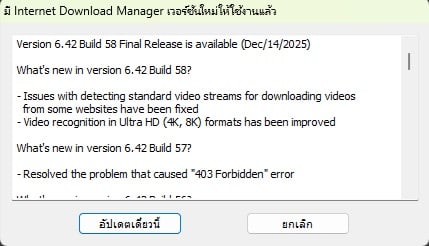
วิธีลงทะเบียนแบบนี้ ไม่สามารถอัพเดตได้  หากมีการแจ้งเตือนให้อัพเดต ห้ามกดอัพเดต เพราะจะกลายเป็น IDM ที่ไม่ลงทะเบียนทันที [/size]


Internet Download Manager (IDM) เป็นโปรแกรมช่วยดาวน์โหลดและจัดการไฟล์ดาวน์โหลดอีกหนึ่งโปรแกรมที่ได้รับความนิยมใช้งานอย่างแพร่หลาย และได้รับรางวัลการันตีในส่วนของการใช้งาน โปรแกรมาพร้อมเทคโนโลยีในการช่วยดาวน์โหลดที่มีประสิทธิภาพ อย่างการแบ่งไฟล์ในการช่วยดาวน์โหลด ซึ่งเป็นการแบ่งดาวน์โหลดไฟล์ในแต่ละส่วน เพื่อจะช่วยให้ดาวน์โหลดได้อย่างรวดเร็วยิ่งขึ้น และเมื่อดาวน์โหลดแล้ว แม้เน็ตจะหลุดหรือเกิดอาการสะดุดระหว่างการดาวน์โหลดจะทำการดาวน์โหลดได้อย่างต่อเนื่อง ทั้งนี้การดาวน์โหลดไฟล์ด้วยเทคโนโลยีการแบ่งไฟล์แบบเซ็กเมนต์ จะช่วยเพิ่มความเร็วในการดาวน์โหลดและประสิทธิภาพให้เร็วกว่าการดาวน์โหลดทั่วไปถึง 5 เท่า พร้อมโปรแกรมมีการรองรับการดาวน์โหลดไฟล์ที่ครอบคลุมทุกประเภท ทุกนามสกุล

การติดตั้ง wrote:


1. ติดตั้งไฟล์ idman642build58.exe ก่อน   สามารถเปลี่ยนเป็นภาษาไทยหรือภาษาที่ต้องการ ได้ในขั้นตอนนี้


  อย่าพึ่งกด  เสร็จสิ้น (Finish) แต่หาก IDM เปิดทำงานขึ้นมา ให้ปิดโปรแกรมที่ System Tray ออกไปก่อน


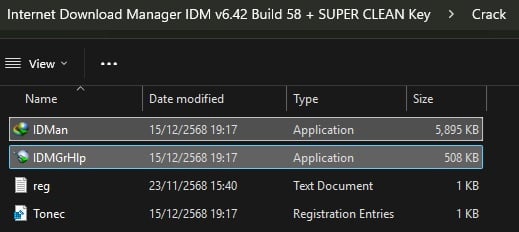
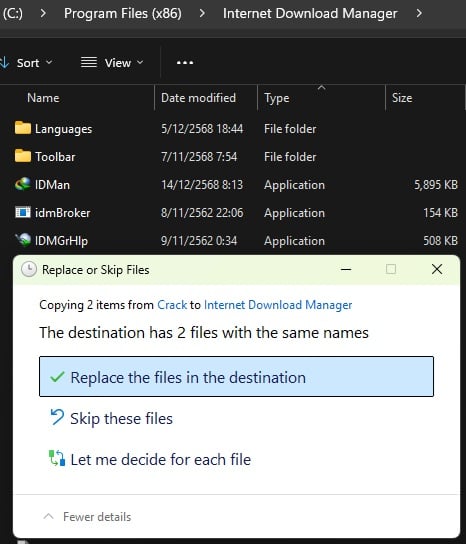
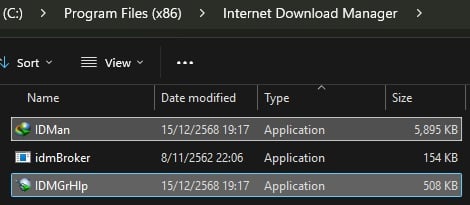
2. copy ไฟล์ IDMan.exe และ IDMGrHlp.exe ในซับโฟลเดอร์ Crack ไปทับไฟล์เดิมที่ C:>Program Files (x86)>Internet Download Manager


### ให้สังเกตว่า ไฟล์ได้ถูกวางลงเรียบร้อยแล้ว ตรง Date Modified    ควรจะเหมือนกับในโฟลเดอร์ Crack ที่ได้ Download ไป ###


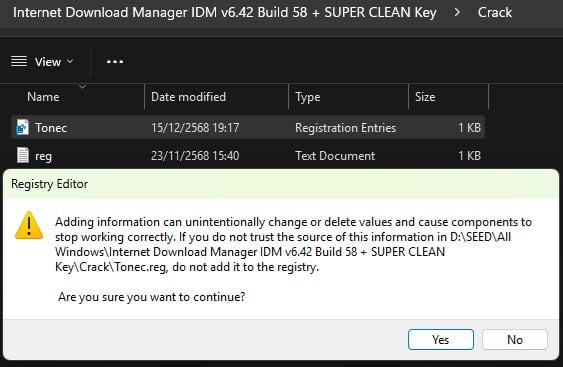
3. กลับมาที่โฟลเดอร์ Crack อีกครั้ง เพื่อ double click ไฟล์ Tonec.reg   แล้วกด Yes กับ OK


  แล้วไปกด เสร็จสิ้น (Finish) จากหน้าต่างติดตั้งที่เปิดทิ้งไว้

4. เปิดใช้งานโปรแกรมได้จาก shortcut ที่ desktop ได้เลย


5. ในการเปิดใช้งานครั้งแรก อาจจะมีการแจ้งเตือนขึ้นมา ให้กด More Info แล้วกด Run Anyway เพื่อให้ IDM ทำงาน


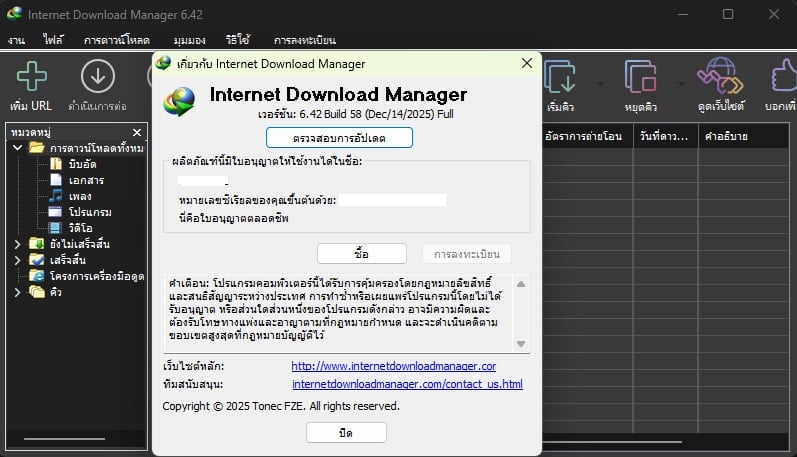
รูปตัวอย่าง หลังจากติดตั้งเสร็จ และเปิดขึ้นมาใช้งาน


What's new in version 6.42 Build 58
(Released: Dec 14, 2025)


Adobe Acrobat Pro 2025 v25.1.21184 x64 Multilingual by m0nkrus


● Adobe Acrobat Pro 2025 v25.1.21184 x64 Multilingual by m0nkrus ●

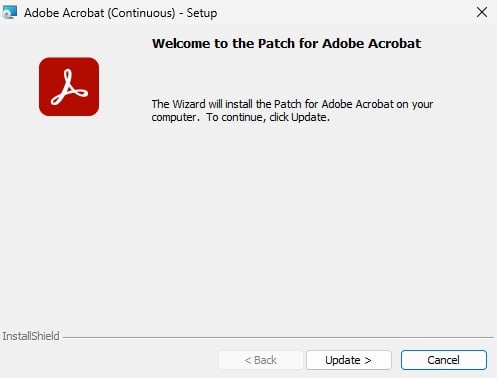
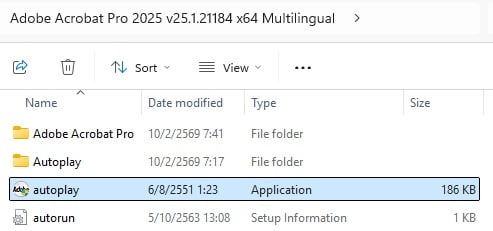
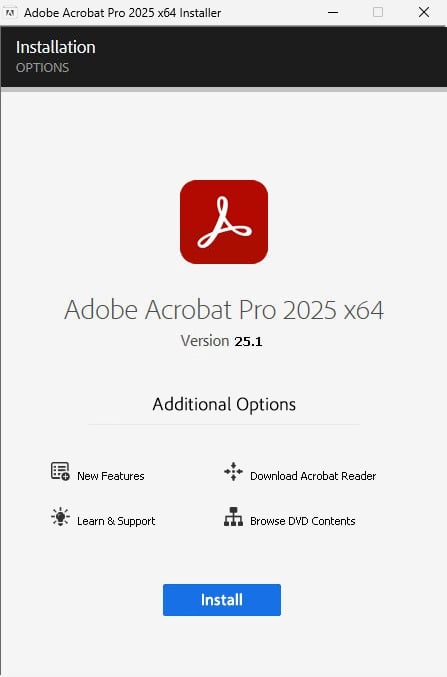
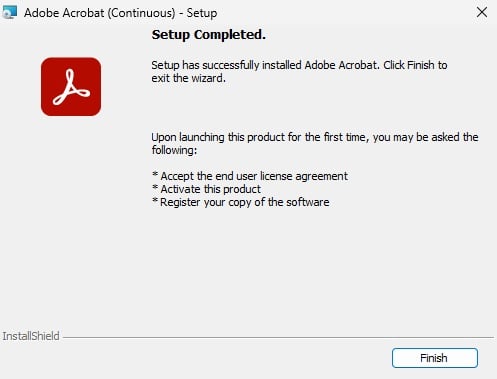
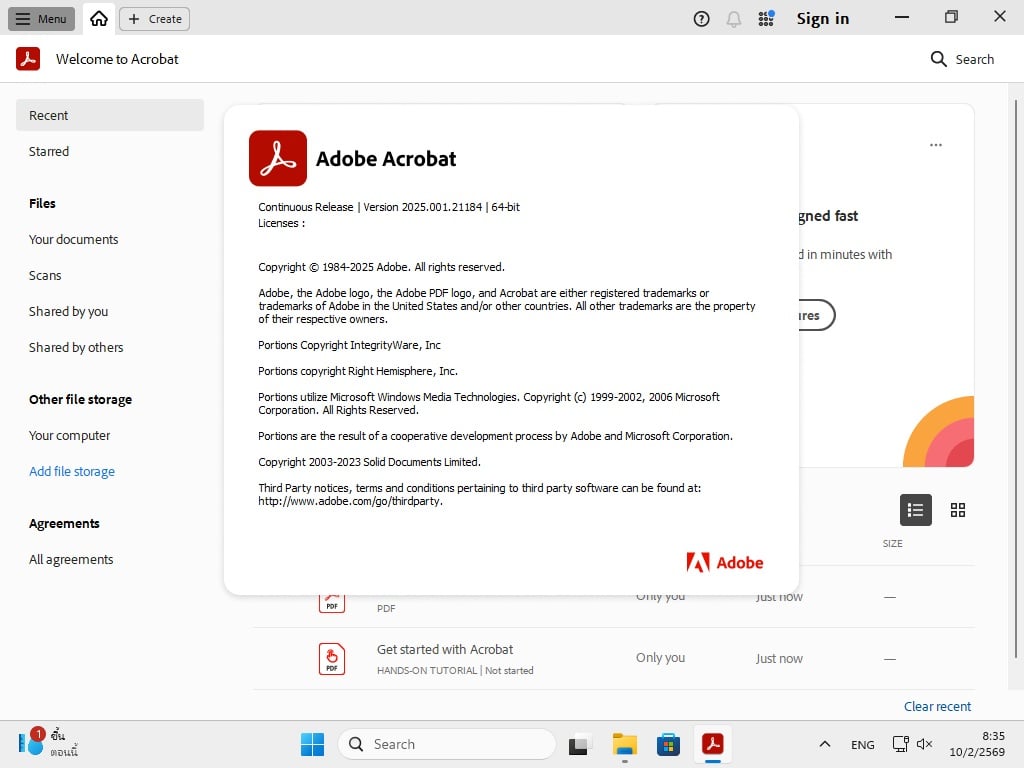
ทดลองติดตั้งแล้วตามรูปตัวอย่าง ติดตั้งได้โดยไม่ต้อง crack เอง (แต่ควรปิด antivirus ก่อนติดตั้ง)
เหมาะสำหรับทุกท่านที่สนใจ นำไปทดลองใช้งานกันดูได้เลยครับ


สามารถติดตั้งแบบอัพเดทจากเวอร์ชั่นเดิมได้ทันที โดยไม่ต้อง uninstall ออกก่อน


Read m0nkrus.txt for more detail!!!


Adobe Acrobat Pro DC เป็นโปรแกรมสำหรับแก้ไขไฟล์ PDF ที่นิยมใช้กันมากที่สุดในโลก ช่วยให้คุณสามารถดู สร้าง แก้ไข จัดการ ป้องกัน และเซ็นเอกสาร PDF ได้อย่างมีประสิทธิภาพ มีเครื่องมือมากมายที่ช่วยอำนวยความสะดวกในการทำงานกับไฟล์เอกสาร Pdf สามารถสร้าง PDF จากเอกสารที่สแกน และสามารถแปลงไฟล์ PDF เป็นรูปอื่นได้เช่น Microsoft Word, Excel, PowerPoint, HTML, และอื่นๆ อีกมากมาย

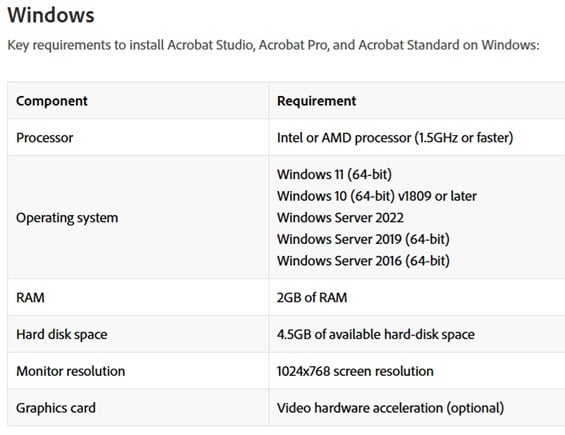
System Requirements


More Detail : https://helpx.adobe.com/th_en/acrobat/system-requirements.html

การติดตั้ง wrote:


1.) รันไฟล์ autoplay.exe เพื่อติดตั้งจนเสร็จ


2.) เปิดใช้งานโปรแกรมได้จาก Startup Menu ทันที


3.) หากพบปัญหาในการเปิดใช้งาน ให้แตกไฟล์ patch เพื่อช่วยแก้ไข

 Note: If you encounter any issues with a previous installation / crack,
 please uninstall Adobe Acrobat Pro 2024 and delete those folders:

 C:\Program Files (x86)\Common Files\Adobe\SLCache
 C:\ProgramData\Adobe\SLStore


What has been changed by the author of the assembly:
- An up_date was integrated, turning the original version 21.1.20135 into version 25.1.21184.
- A start menu was added to the installer, modeled after a similar menu for builds of modern products of the Creative Cloud family.
- The ability to install the program on Windows 7 SP1, Windows 8.x, Windows 10 earlier versions, Windows Server 2008R2-2012R2 was unlocked.
- The Adobe Genuine Software Integrity Service, which was installed and launched by default by the original installer, was removed.
- The Acrobat auto-up_date service, which was installed and launched by default by the original installer, was disabled.
- The spyware modules Log Transport Application, CRLog Transport Application and Adobe Crash Processor were disabled.
- The program has already been disinfected. You can use it immediately after installation.


Download

Adobe Acrobat Pro DC v2026 001 21771 (x64)

 ทุกคนรู้ดี adobe ลงใช้ๆไป สักแป็บ

crack ชอบหลุดทุกที ประจำ


คนที่ใช้ acrobat ประจำอย่างผม มีปัญหาเรื่องนี้ประจำ ปวดตับ
ต้องมาคอยหาตัวดีลงใหม่ เรื่อยๆ

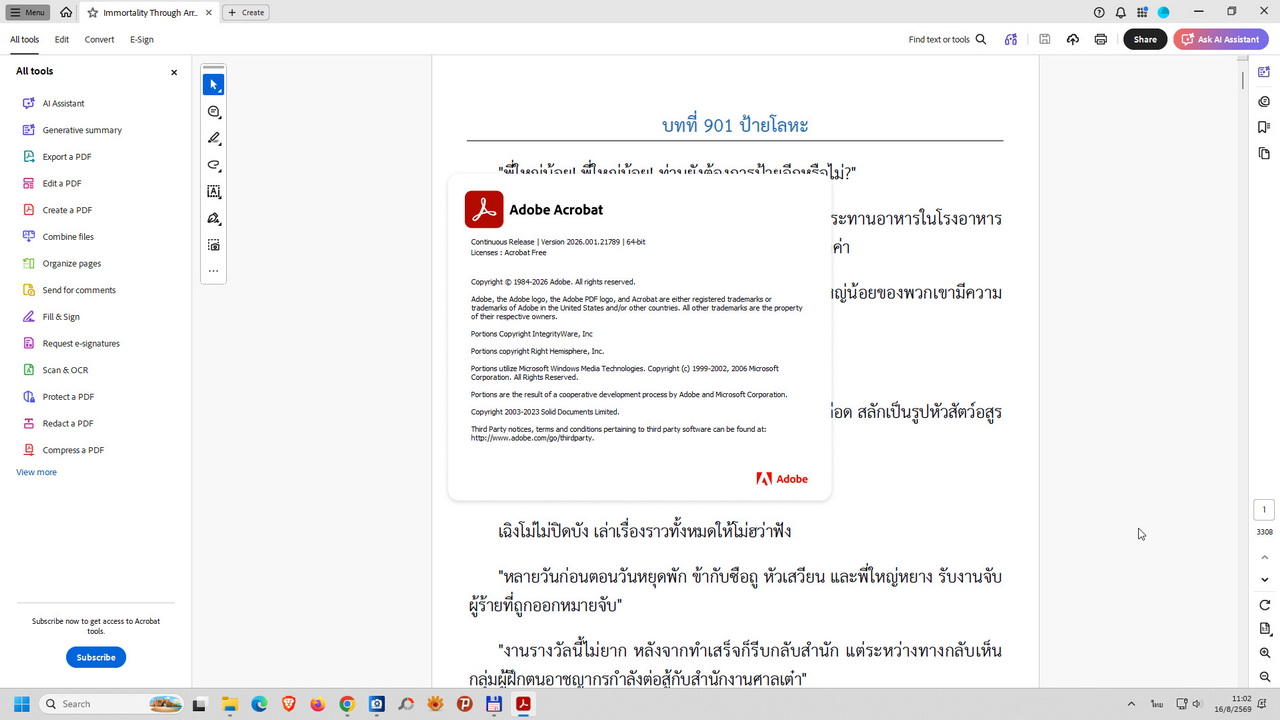
ก็เลยไปหาตัวใหม่ลง ตอนนี้ใช้ตัวนี้ ยังใช้ดีอยู่ตอนนี้
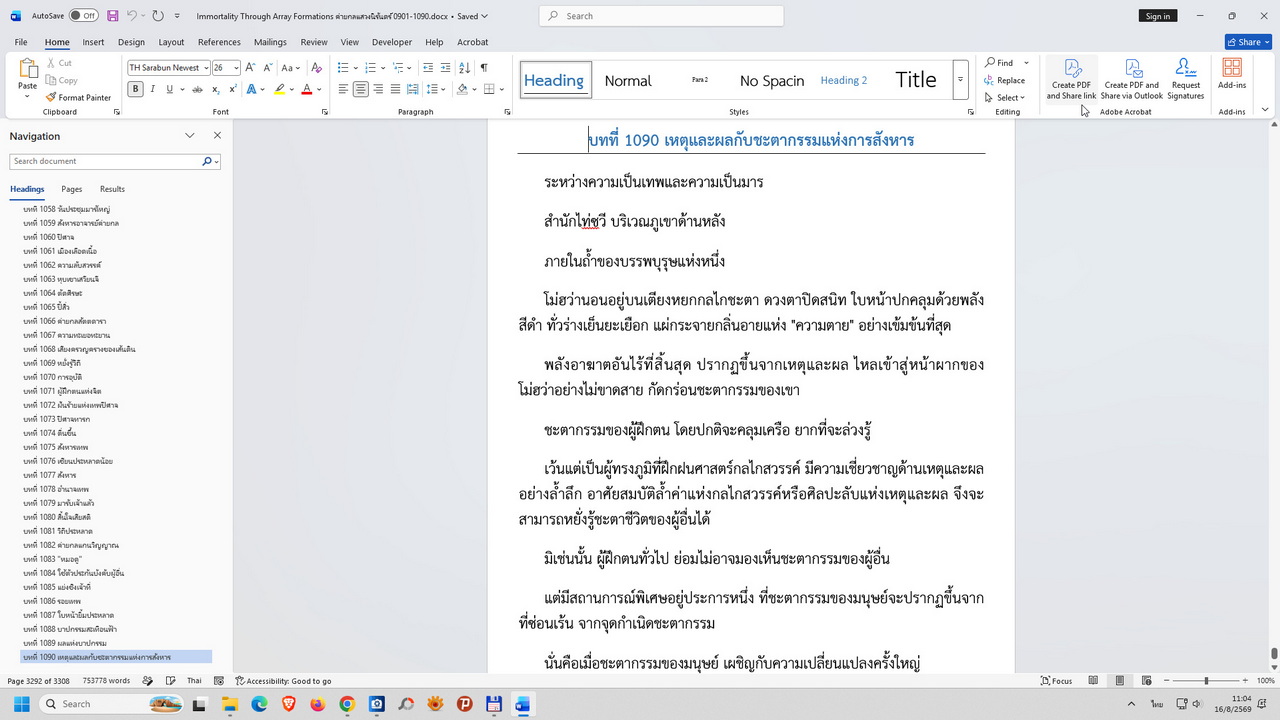
ก็ใช้แปลง docx to pdf นิยายจีนปล่อยอยู่

ตัวนี้ setup.exe  nod ไม่ฟ้องแดกนะ


Year/Release Date : 07.2026
Version : 2026.001.21771
Developer : Adobe
Developer s Website : www.adobe.com

Bit depth : 64bit
Interface language : Multilingual

System requirements :
Windows 10(1809 or later) / 11

Des--cription :
Acrobat Pro is a completely [img]pic/up_date.gif[/img]d desktop version of the world s
best PDF solution. This solution includes a mobile app that lets you
sign and send PDF files and fill out forms from any device. And with
Document Cloud services, you can create, export, edit, and track PDF
files by opening them in any web browser. The latest versions of your


Installation:

Run the  setup.exe  file (x86 or x64), uncheck  Install Adobe Genuine
Service (AGS)  and select the desired settings if necessary.
* ผมไม่เห็นมีให้เลือก uncheck ตามที่มันบอกเลย ก็เลย setup nextๆๆ ไป

Wait for the installation to complete,

DO NOT START the program , and click  Finish .

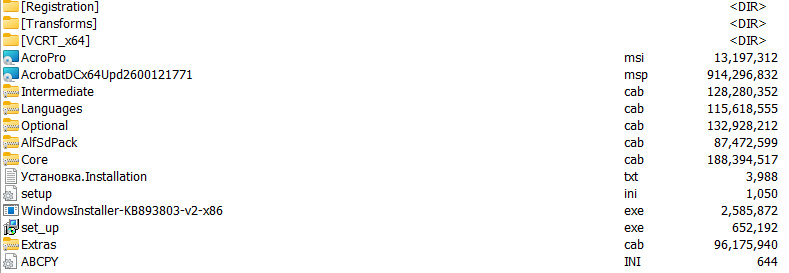
Run the [img]pic/up_date.gif[/img] file  AcrobatDCx64Upd2600121771.msp  and click
Update.   When the installation is complete, click  Finish.  

DO NOT LAUNCH the program!

From the  Registration  folder, run  FilesReplaceX64.exe  and receive
the message:  The files have been replaced.  - OK.

(This will replace the files: Acrobat.dll, acrodistdll.dll,
acrotray.exe with the registered ones.)

ปิด updateด้วย ถ้ามีฟ้องที่ tray ก็ปิดไป


Blocking hosts:
Run  BlockHosts.exe  from the  Registration  folder (this will add the
necessary entries to the hosts file). Do not run  BlockHosts.exe  if you
have already applied hosts blocking for Adobe Acrobat Pro DC.

Remove the hosts block by deleting the  Adobe Acrobat Pro DC  lines in
the hosts file, accessing the hosts shortcut.


Block Firewall only when necessary.
Firewall Blocking:

Run BlockFirewall.exe from the  Registration  folder. This file will block
Adobe Acrobat Pro DC executable files from accessing the network. You
will receive the message:  Adobe Acrobat Pro DC Firewall is blocked.

Unblock Firewall:
Run UnblockFirewall.exe from the  Registration  folder. This file will
unblock network access for Adobe Acrobat Pro DC executable files. You
will receive the message:  Adobe Acrobat Pro DC Firewall Unblocked.


วันพุธที่ 15 มกราคม พ.ศ. 2568

Microsoft 365 Apps for Enterprise (Professional Plus) + Microsoft Project Professional 2024 + Microsoft Visio Professional 2024 x64 Retail EN-TH

 ●   Microsoft 365 Apps for Enterprise (Professional Plus) + Microsoft Project Professional 2024 + Microsoft Visio Professional 2024  x64 Retail EN-TH ●                          


   Current Channel Version 2412 Build 18324.20168


โปรดอ่าน wrote:


• วิธีติดตั้งด้วย Office Tool Plus นี้ จะไม่ถูก windows security ตรวจจับว่าเป็น trojan เหมือนการติดตั้งด้วย OInstall นะครับ

• ได้ทดลองติดตั้งใช้งานจริงก่อนแล้ว (ทดลองบน Windows 10 22H2)  สามารถ Activated เป็นตัวเต็ม (Full) ผ่าน internet  ใช้งานได้ตามปกติ ถึงได้มาอัพให้นำไปทดลองใช้งานกันดูครับ

• ไฟล์นี้เป็น Current Channel คือรุ่นที่วางจำหน่ายตามปกติ  ไม่ใช่แบบ Preview ที่เป็นตัวทดลองก่อนจัดจำหน่าย   และสามารถเช็คการอัพเดทได้เองตลอด

• แผ่นนี้มีแอปพลิเคชั่นให้เลือกใช้งานได้ 12 โปรแกรม  ไม่รวม Project และ Visio


• ไม่จำเป็นต้องเขียนลงแผ่นหรือ USB Flashdrive ไม่ต้องแตกไฟล์  แค่ Mount ก็ติดตั้งได้แล้ว

• วิธีติดตั้งเป็นภาษาไทยอยู่ตามรูปด้านล่างครับ


Microsoft 365 จะสามารถติดตั้งได้บน Windows 10 ขึ้นไปเท่านั้น ท่านใดที่ต้องการใช้ Microsoft 365 ก็จำเป็นต้องเปลี่ยนมาใช้ระบบปฏิบัติการของ Microsoft คือ Windows 10 หรือ 11 ก่อน


การติดตั้ง ::

1) คลิกขวาเพื่อ mount ไฟล์ Office_Tool_Plus-16.0.18324.20168.ISO นี้ก่อน


2) ไปที่ [drive:] ที่ได้ mount ไว้ เพื่อรันไฟล์ Office Tool Plus.exe


3) จะมีหน้าต่างยืนยันการติดตั้งแสดงขึ้นมา
   หากต้องการ เพิ่ม-ลด ผลิตภัณฑ์หรือแอปพลิเคชั่น ที่ต้องการใช้งาน หรือเปลี่ยนแปลงชุดภาษา ให้กด  “ไม่ใช่“   เพื่อปิดหน้าต่างนี้ไปก่อน
   หากไม่ต้องการเปลี่ยนแปลงอะไร ให้กด  “ใช่“  เพื่อเริ่มการติดตั้งได้ทันที


4) เมื่อต้องการแก้ไข ควรเลือกผลิตภัณฑ์ และแอปพลิเคชั่น เฉพาะที่จำเป็นต้องใช้งาน และภาษาที่ต้องการติดตั้ง
   เมื่อเลือกทุกอย่างเสร็จแล้ว ให้กดปุ่ม “เริ่มการปรับใช้“ ที่ด้านขวาบน


5) หน้าต่างยืนยันการติดตั้งจะแสดงขึ้นมาอีกครั้ง ให้ตรวจสอบความถูกต้องที่เลือกไว้
   หากถูกต้อง ให้กด  “ใช่“  เพื่อเริ่มการติดตั้งต่อไป


6) รอจนกว่าจะติดตั้งเสร็จ จึงกด “Close“ เพื่อปิดหน้าต่างติดตั้งนี้  แล้วกด “X“ เพื่อปิดหน้าต่าง Office Tool Plus ไปได้เลย

   ##### อย่าเปิดแอปพลิเคชั่นใด ๆ ขึ้นมา #####